LOGISHOP B2B ECOMMERCE PLATFORM
Designed to serve complex B2B needs and specific sales solutions
Serve your B2B partners online, sell directly as a manufacturer or open clone online stores for your different product segments. Choose the Logishop webshop solution that suits your business model!
Request a quote
LOGISHOP B2B ECOMMERCE PLATFORM
Serve your B2B partners online, sell directly as a manufacturer or open clone online stores for your different product segments. Choose the Logishop webshop solution that suits your business model!
What are the benefits of starting a B2B webshop for companies?
You can seamlessly serve your reselling partners online
Reduce the workload of your sales force / customer service
Ensure transparency: up-to-date pricing, stock records, product information, order history, instant information on delivery times
Can be integrated with business management systems
Increase customer loyalty, provide targeted communication
We are constantly developing the Logishop webshop to help you grow. Check out the new and completed features coming to Logishop on the product roadmap!
Logishop features are tailored to the needs of B2B customers and facilitate high-value purchases, reorders
Functional product list display to facilitate reordering
Export/import shopping cart in XLS format
User roles and privileges management
New partner registration with approval process
Management of different price list levels for partner groups
Orders can be placed at multiple sites
Offering payment methods enabled for the user, possibility of deferred payment
User experience optimized for resellers
New features coming to Logishop
The Logishop webshop is constantly being developed and maintained by our product development team, which ensures growth and competitive advantage for our customers.
Preventive patching (maintenance) of Logishop is also ongoing, which includes, among other things, the correction of software bugs that arise, version updates.
How does the Logishop webshop support the development of different B2B webshops?
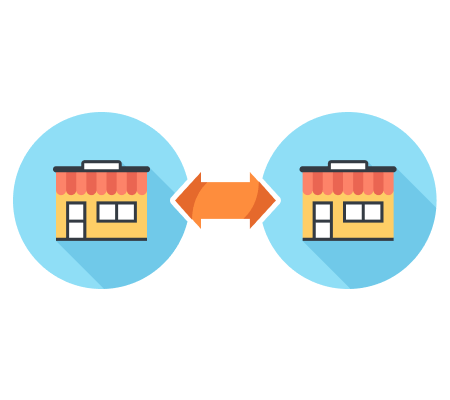
Wholesaler/Retailer webshop: serves the online ordering process from wholesaler to retailer
Manufacturer-Retailer webshop: serves the online ordering process from manufacturer to retailer
Supplier webshop: To serve the online ordering process from supplier to retailer
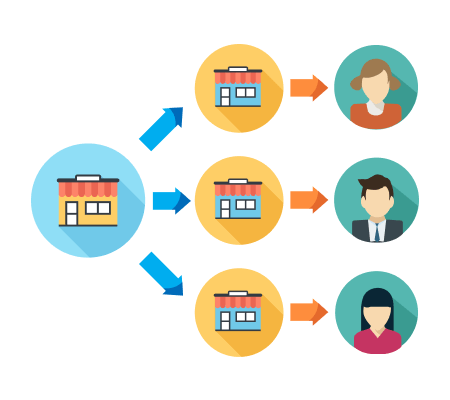
Clone store: the clone webshops can be created for different product segments, serving different customer groups, they are copies of the parent webshop
How does Logishop support the development of a B2B partner webshop?
The central company supports the B2C sales of partners with a webshop for its B2B partners
An e-commerce solution designed to support the franchise sales model, with the possibility to display different prices, products and stocks of partners
Who do we recommend for?
Logishop Standard package: 3 months
Logishop Pro package: 6-9 months, depending on specific needs
Logishop Enterprise package: by individual agreement
Functions
In addition to the standard features and integrations, Logishop's webshop functionality in Pro and Enterprise packages can be extended with customized customer requirements.
B2B SPECIFIC FUNCTIONS
Viewing B2B partners:Displaying all B2B partners (the data is coming from ERP, only displaying is possible here)
Partner with contracted price: Displaying different prices for different partners
Automated site upload: For B2B users the sites received from ERP are already uploaded
Display all product variants:All the product variants can be displayed in B2B view
Placing all product variants in the shopping cart with a single click
Import/export shopping cart: Import/export shopping cart in XLS format
B2B product list: Smaller pictures, more products on one page
B2B specific payment options:Offering the payment options available for the user, deferred payment option
Displaying credit: Displaying the partner's credit status
Functions available from the profile page after login
Request to register institution Institution data Managing sub-users Visualisation of annual sales data Invoice list
Download a B2B user's individual price list:Individual prices set by B2B store owners can be downloaded by partners from their own user interface. This function can be used for up to 10 000 products.
Expired invoice notification: The logged-in B2B user is alerted by a red bar in the user interface when the payment deadline for his outstanding invoice has expired.
GENERAL FUNCTIONS
Responsive interface: The user interface automatically fits the visitor's screen size, regardless if they are visiting from mobile, tablet or desktop
Interface built based on e-commerce UX best practices: User-friendly surface optimised by the UX Design team
GDPR-compliant operation: GDPR data download function for users can be set on the project level, deleting users can be set up.
B2B functions:B2B-specific product list display, ordering process and user management
FRONTEND - SHOP INTERFACE
Dynamic product search fields and filters
The dynamic product search fields and filters allow the customer to easily navigate to the wished product
Listing products:Products can be listed based on category or product list
Zoom in on product images:Hovering the cursor over a product image turns it into a magnifying glass, holding down the left mouse button at that point zooms in on the image
Listing categories:By clicking on the main category the subcategories are listed
Display category tree:Click on a parent category to list all products in a subcategory in a list
Filtering based on product features:Filtering product lists and category lists based on product features (e.g. colour, size).
Dropdown menu to display categories and subcategories:Horizontal main menu with vertical dropdown menus for subcategories
Free text quick search bar with instant results page:As the user is typing the text the results are immediately displayed on the results page (pop-up product list based on the search). As the searched term is being typed, the list of results is automatically narrowed down
Highlighting promotional products:For promotional products the promotional price is emphasized in the product list and on the product landing page
Colour picker:Customers can choose from the colours displayed visually in the product list filters.
Recommend substitute and related products:Product list displayed at the bottom of the product end page. The list will show substitute products if out of stock, and related products if the product you are looking for is in stock. (Only works with data from ERP). Product description optimization:Automatically optimize oversized images placed in a product description to a smaller size. (Works for descriptions coming from ER.P)
Product landing page
All the information is available on the product landing page, so the shopping flow experience is not interrupted
Tools supporting the purchase:
Ratings - display customer ratings Images - display product photos Attachments (certificates) - attachable pdf file Video - display product video Specification - display detailed product specification
Product variant selector:You can select the product features (e.g. colour, size) without leaving the product landing page
Listing related product variants:The list of related product variants s displayed on the product landing page (e.g. the landing page of a grey iPhone product shows other available colour/storage variants)
Product inventory information:Shows whether the given product is on stock at each of the warehouses
Product comparison:Compared products are displayed on a floating sidebar, so the system does not redirect from the product landing page
Product price - highlighted promotional prices:Promotional flag and discounted prices are displayed for the promotional products in the product list and on the product landing page
Order page for anonymous users:Customers who are not logged in can access the summary page of their order via the unique link they received in their confirmation email
Abandoned cart notification: The admin can set the number of days after the cart is "abandoned" to receive a reminder email about the abandoned cart of the user
Purchasing process
The shopping process is smooth and barrier-free
Temporary display of shopping cart:When a product is placed in the cart or when the cart is clicked, the float-in cart does not stop the shopping process. Coupon codes can be entered here as well.
Shopping cart page:All the products in the cart can be easily viewed on one single page (shopping cart page). Coupon codes can be entered here as well.
Saving the shopping cart:
For registered users the cart is saved on logout and loaded on login Anonymous cart option: users not logged in can also place the product in the cart, cart contents are saved for a period determined during parameterisation
Using coupons:Users may enter coupon codes on the cart page
One page checkout:
All the information needed to finish the shopping process can be entered on the checkout page, the order can be finalised. Identification > Delivery > Billing > Payment Refined checkout page: only the information needed to finalise the order are displayed on the page
Payment options: Customers may choose from Simple Pay and Bigfish Payment options
User profile
Logged in users can edit their profile, billing and delivery data, check their open and previous orders, their list of favourites
Registration and login:
Login is possible by supplying the login information or using Google and Facebook fast login functions Hidden password function User profile page Editing profile data Delivery data Billing data List of orders List of invoices Connecting to Facebook or Google account Changing password
Favourite products: highlighted list, where the user can save products
Unique lists:the user may create lists and save products on them
Order follow-up:
Current order display for the customers Order status management
Cookie acceptance pop-up:Pop-up for new visitors to accept cookies
BACKEND - ADMIN INTERFACE
Modular main page
Build an attractive home page using dedicated modules, manually composed static lists, or dynamic lists generated based on a set of rules
Menu bar:Both product lists and unique text content may be placed in the header or footer menu bar. The menu points can be easily rearranged in the admin area by dragging and dropping.
Regions:A fixed area on the main page for displaying content. Regions can be toggled on and off, so their content can be shown or hidden on the website. Regions may be filled with the content of the banners placed in the banner bars.
Banner bars:Our banners that display content can be arranged in banner bars
Banners:Banners serve displaying our contents. The following types of content can be included in a banner: product, category, list, CMS content
Displaying unique product lists:Placing dynamic or static lists on the main page
Store display on map module:A marker that can be easily displayed on a map. When you click it, a pop-up window displays the store's name, opening times and exact address, and an option to start navigation to the address.
Frequently Asked Questions module: Dedicated module for displaying FAQ
WYSIWYG editor:Word-like editor for the easy editing of longer text, inserting images, videos and tables and other simple basic functions are possible
Full editing of static labels:Comprehensive editing of static labels on the page
Creating labels:Labels help in dynamically sorting text content
Containers and dynamic containers:Grouping text content with containers is possible in 2 ways: you can create static containers manually or dynamic containers based on labels
Displaying product lists:A specific product list can be displayed in some regions of the main page
Creating text content:Creating news/blog content on the wysiwyg editor
Timing contents:Displaying content (banners, text, containers, product lists) can be toggled on and off and scheduled (for example you may schedule displaying a Black Friday product list only for the promotional period)
SEO module:
Template-based metadata can be added to the webshop modules (Google, Facebook) Filling automated and manual SEO data
Managing message templates:Managing system messages, email templates, recipients
Media library:Easy-to-use internal media upload interface to organise images and files related to your webshop
Product catalog management
Creating static product lists:Static product lists can be created by manually adding products or you can automatically build them by determining product variants
Creating dynamic product lists:Automatically refreshed dynamic lists can be created by applying a multi-level rule system (e.g. colour=black and price>HUF 10000)
Setting product filters:The available filtering options for products and product lists can be set for the user
Adding product parameters:Any number of parameters can be added for filtering products (e.g. colour, size of data storage)
Creating brands:Adding brands
Creating product templates:You can choose from these templates when creating a new product
Creating product variants:Multiple variants (product versions) can be set for each product, e.g. red chair, green chair
Product data model:
Product price Inventory level Setting features Classifying in product types Setting filterable parameters: on which the product can be filtered Variant making parameters: which parameters create different variants, which can be selected from on the product landing page Product lists Product categories
Export and import product lists and variant lists:Allows bulk compilation of admin interface lists with XLS import
Discount system
Continuously growing discount system for motivating buying
Creating coupons:
Coupons: generating discount coupons, which can be redeemed on the shopping cart page A coupon may be redeemed for the whole cart, for specific products or for the delivery fee It can contain a fixed or percentage discount It can be general or user-owned
Product level discounts:Flag displayed in product list, product end page and quick cart: fixed discount (discount amount), percentage discount (discount %) or discounted price flag (discounted price of product)
Product delivery discount:Provides a free delivery option (dynamic or static) for products defined in a list. If there is at least one product with a delivery discount in the cart, delivery is free of charge, regardless of the other products in the cart and the delivery method selected
Other functions
Creating supermarkets:Creating supermarkets and virtual supermarket and displaying warehouses
Admin user management:Creating/updating admin users and roles
Customer list:Viewing the data, addresses, orders and lists for all customers
Search term log:For a given period, you can see how many times users have searched for each search term
Searchword report:The 10 most frequently used searchword report shows us what the users are usually searching for. The typical typos and wordings used in searches can also be seen here
Synonyms and typos:Synonyms and misspelled versions of searchwords can be saved here, so that the search will surely land where it's supposed to. Mass upload of searchword synonyms
Order serving process:Order status can be checked on the admin interface
Managing product ratings:Viewing user ratings, toggling written review display on/off. Responding to written reviews from the admin interface
Aggregation of reviews and restriction to verified customers: You can set whether all registered visitors can review or only verified customers. You can merge all reviews for all product variants on the product end page or display only those for a particular variant. Automatic sending of an email requesting a review.
Set and combine delivery and payment methods: Set delivery methods and fees, and payment methods and their associated fees
Manage category URLs and breadcrumbs:The breadcrumb shows the path the user has taken to the page and allows easy navigation between product categories. Contents in the webshop can be accessed from multiple URLs. The admin can change which of the URLs should be the default, that is, the canonical URL
Manage URLs from admin interface: The feature allows the admin to manage the redirects created in the webshop
Basic parameterization - Analytics, Google Ads, Facebook pixel, Tag manager: It is possible to place different tracking codes on the webshop in order to allow the merchant to achieve accurate measurements of the performance of his webshop
Price archiving:Allows saving price changes at database level
Integration, automation
Payment systems:OTP Simple, Bigfish payment
Price comparison sites:Facebook Business, Google Shopping, Olcsobbat.hu, Árgép, Árukereső
Automated system messages, email templates, managing addressees:
Event based email automation (e.g. automated email sent upon successful registration) Email template editing with dynamic fields (e.g. adding in names and email addresses)
GLS integration:Direct link between GLS and Logishop. With this feature, orders ordered with GLS home delivery or GLS parcel point are entered into the GLS system at the admin's request, from where the labels for delivery can be printed and the orders can be placed for delivery
Implementatin time
Logishop Standard package:3 months
Logishop Pro package: 6-9 months, depending on specific needs
Logishop Enterprise package: by individual agreement
Integration with other systems
In the Proand Enterprise packages, in addition to the standard options, we can implement integration with chosen external systems, based on specific customer needs. We have experience in integrating SAP Business One, Microsoft Dynamics NAV, Oracle JD Edwards, SugarCRM, OroCRM, Microsoft Dynamics CRM, Company Manager, Vectory, SERPa ERP systems.
For the Standard package, we provide integration of the following systems:
Cégmenedzser ERP system.
Payment systems: OTP Simple, Bigfish payment
Mailchimp: subscribe, unsubscribe
Price comparison sites: Facebook Business, Google Shopping, Olcsobbat.hu, Árgép, Árukereső
Google Analytics with basic conversion tracking
Marketing tools: Facebook pixel, Google products
Automated system messages, email templates, recipient management:
Event-related email automation (e.g. automatic email sending on successful registration)
For both B2B and B2C sectors, the mobile app is much more than a simple sales interface: from sending push messages to displaying extra information, from supporting the store network to having a digital loyalty card programme, there are countless ways to benefit from it.
Get started with the Logishop webshop and develop your sales channels, build an organically collaborative e-commerce ecosystem!
We can contribute to the digital transformation of your business in all areas, be it B2B, B2C webshop, mobile app, digitalization of the store process, in-store digital solutions.
In the past, when it came to IT development, we sometimes felt that we, as the customer, should know what the right solution would be. This is not the case with LogiNet. Their experts know what they are doing, assess the situation and recommend the ideal technology solution for the job. In short: you can see the routine and the years. They have well-established, smooth processes and are easy to work with, both in general and on webshop tasks.
Perger Tamás, Magic Tools Ltd.
Before choosing a development partner, we had several dead ends, which were financially burdensome for us. It would have been nice to find such a professional team sooner. One of LogiNet's greatest strengths is their flexibility, their positive attitude and the fact that they tried to find a solution to all our requests. Regarding our cooperation, I would like to highlight the excellent quality of the communication, if we needed it, we had several meetings a week, if we had any problems, we received immediate feedback. This provides us with a stable background, so we can think about what we would like to improve and develop in the future, we can be sure that it will be implemented.
Varga Viktor, Marseus Computer Ltd.
Request a quote
Boost your business efficiency and revenue with custom software solutions built around your real needs.
Share your ideas and goals with us, and we’ll be in touch shortly to see how we can help.